
Opening an assisted living facility is a major capital investment. Between construction, licensing, life-safety systems, staffing, and resident-care equipment, the budget is already under pressure. That is exactly why technology planning cannot wait until the walls are closed and the survey date is approaching.
After years of supporting healthcare and senior living technology environments, we have seen how expensive late decisions can become. A missing cable pathway, poorly located network closet, undersized emergency call system, or unreliable internet connection may look like a minor issue on a floor plan. After construction, it can mean opening walls, moving equipment, delaying approvals, or paying twice for the same work.
In assisted living, technology supports emergency call systems, resident and staff Wi-Fi, electronic resident records, medication workflows, video surveillance, access control, environmental monitoring, cybersecurity, and business continuity. When one of these systems fails, the impact can extend beyond inconvenience to resident safety and continuity of care.
This guide identifies the technology questions to address before an assisted living community, memory care unit, or continuing care campus opens. Because assisted living requirements vary by state, license type, level of care, and local jurisdiction, confirm all final designs with the appropriate licensing authority, fire marshal, building officials, legal or compliance counsel, and qualified vendors.
Assisted Living Facility IT Buildout Checklist: 12 Systems to Plan
An assisted living facility IT buildout should address 12 connected areas:
- Internet service and backup connectivity
- Structured cabling and telecommunications rooms
- Facility-wide Wi-Fi
- Network segmentation
- Emergency call or nurse call systems
- Surveillance cameras and video storage
- Access control, alarms, and wander management
- Environmental monitoring and connected equipment
- Electronic resident records and medication systems
- User accounts and staff onboarding
- Cybersecurity, backups, and incident response
- Testing before survey and opening day
These systems should be planned together. Selecting a cloud-based resident-record platform, for example, can change the facility's internet, wireless, security, backup, power, and support requirements.
When Should IT Become Involved in an Assisted Living Facility Buildout?
One of the most expensive buildout mistakes is bringing in the IT provider after construction is already underway.
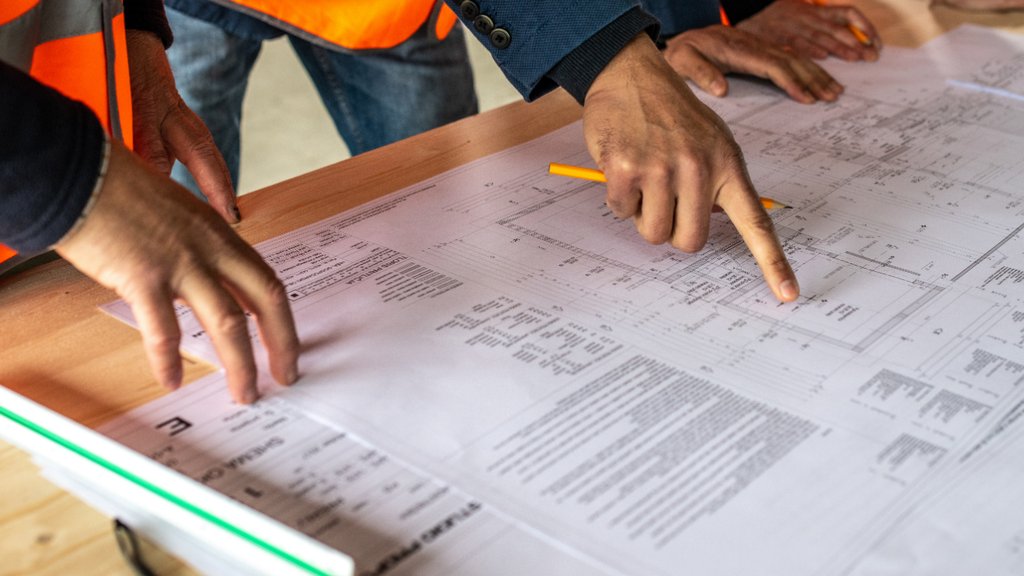
Cabling, wireless coverage, access control, emergency call wiring, telecommunications rooms, and system integrations depend on decisions made during design. Once walls and ceilings are finished, corrections become slower, more disruptive, and more expensive. In a licensed senior living setting, they can also contribute to survey findings, corrective work, or a delayed opening.
The IT and low-voltage teams should review plans while the architect and general contractor can still adjust pathways, equipment rooms, power, cooling, and device locations. The planning team should include:
- Ownership or executive leadership
- The facility administrator and clinical leadership
- The architect and general contractor
- The IT and low-voltage providers
- The emergency call or nurse call vendor
- The fire alarm and security contractors
- The EHR, medication-management, and pharmacy vendors
- The HVAC or building-controls contractor
The goal is to settle system dependencies and responsibility on the drawing—not after equipment arrives.
Five Assisted Living Technology Buildout Mistakes to Avoid
Before examining each system, watch for five recurring problems:
- Waiting until construction is nearly complete. Missing pathways, power, cooling, or mounting locations become costly retrofits.
- Designing each system in isolation. Emergency call, cameras, access control, Wi-Fi, EHR platforms, and building controls often depend on the same network and power infrastructure.
- Assuming cloud systems work during an outage. Every critical workflow needs a documented answer for internet, power, or vendor failure.
- Using one network for everything. Resident devices, cameras, building controls, administrative systems, and systems containing sensitive information should not share one unrestricted network.
- Testing devices but not workflows. A device may power on while alerts, escalation, exports, logging, or recovery still fail.
1. How Should an Assisted Living Facility Plan Internet and Backup Connectivity?
Many assisted living communities rely on internet access for resident records, medication-management platforms, remote support, communications, cloud-managed security, and family engagement tools. An outage can interrupt far more than office work.
Start with business-grade service sized for the facility's actual needs. Capacity depends on the number of residents and staff, applications, cameras, remote connections, telehealth use, guest traffic, and connected systems—not an arbitrary minimum speed.
Consider a second connection or cellular failover whenever an outage could interrupt important operations. Confirm whether the secondary connection uses a genuinely separate path or carrier, and test automatic failover before opening.
The connectivity plan should also identify:
- Which systems continue to operate locally without internet access
- Which systems require battery or generator-backed power
- How staff will document care and medication activity during an outage
- How information will be reconciled when service returns
- Who contacts each vendor and internet provider after hours
Do not assume an emergency call, access-control, or alerting system will continue working simply because it has backup power. Test the complete workflow.
2. What Structured Cabling Does an Assisted Living Facility Need?
Structured cabling is the physical foundation of the facility. A poorly designed or undocumented installation makes every connected system harder to support and expand.
The cabling plan should account for workstations, phones, cameras, wireless access points, access-control devices, environmental sensors, emergency call equipment, annunciator panels, and building controls. Category 6A is often considered for new construction because of its capacity and useful service life, but the correct medium should be selected according to distance, equipment, environment, applicable codes, and budget. Fiber may be appropriate between telecommunications rooms or buildings.
Require every permanent cable run to be:
- Terminated properly on a patch panel
- Labeled consistently at both ends
- Tested against the applicable specification
- Recorded on accurate as-built drawings
- Mapped to its switch port and connected device
Each telecommunications room needs appropriate power, cooling, lighting, grounding, physical security, rack space, and expansion capacity. A hot storage closet should not become the network room simply because it was unassigned on the floor plan.
3. How Should Facility-Wide Wi-Fi Be Designed for Senior Living?
Assisted living facilities can be challenging wireless environments. Fire-rated walls, dense construction, elevators, long corridors, resident-room layouts, and outdoor spaces can all affect coverage.
A predictive wireless design is a useful starting point, but it should be validated in the finished facility with an on-site survey. Design for both coverage and capacity, and consider the needs of three different groups:
- Staff using tablets, communications devices, and mobile care applications
- Residents and families using personal devices
- Connected care, security, or building systems
Keep fixed critical systems wired whenever practical. Resident and guest access should be isolated from clinical and administrative systems. Most importantly, test Wi-Fi where staff and residents actually use it—not only in the lobby.
4. Why Does an Assisted Living Facility Need Network Segmentation?
A flat network places unrelated devices in the same security zone. If a poorly secured camera, sensor, resident device, or staff computer is compromised, an attacker may have an easier path to more sensitive systems.
Depending on the facility, separate security zones may be appropriate for:
- Emergency call systems
- Electronic resident records and medication systems
- Surveillance cameras and recording equipment
- Access control and physical security
- Building automation and environmental controls
- Administrative workstations
- Staff mobile devices
- Resident and guest Wi-Fi
Segmentation should be enforced through managed network equipment, firewall policies, identity controls, and documented exceptions. Creating several Wi-Fi names does not by itself prove that the networks are isolated.
5. How Should Emergency Call and Nurse Call Systems Be Planned?
Emergency call is one of the facility's most safety-critical technology systems and should be planned separately from general low-voltage work.
UL 2560 addresses emergency call systems for assisted and independent living facilities, while UL 1069 addresses hospital signaling and nurse call equipment. Which standard, device placement, backup-power requirement, and documentation rule applies depends on the facility's license, level of care, state requirements, adopted codes, and authority having jurisdiction.
Before selecting a system, verify:
- Required locations for fixed call stations, pull cords, and other devices
- Whether wearable pendants or mobile devices are needed
- How calls are displayed, acknowledged, escalated, and closed
- What happens when a call is not acknowledged
- Backup-power and offline-operation requirements
- Call-history and response-time reporting
- Testing and preventive-maintenance documentation
- Integration boundaries with fire alarm, access control, and staff communications
Coordinate the design with the licensing authority, fire marshal, building officials, and qualified contractors. Do not treat emergency call wiring and power as a standard office IT installation.
6. What Should an Assisted Living Surveillance Plan Include?
Surveillance is one of the facility's most storage-intensive systems, and camera placement carries significant privacy and dignity concerns.
Coverage requirements differ by state, license type, facility policy, insurer expectations, and local law. Cameras may be considered for entrances, exits, selected common areas, medication areas, and building perimeters, but placement in resident rooms, bathrooms, treatment areas, dining spaces, or activity areas requires careful legal, privacy, consent, and operational review.
Storage must be calculated from the final camera count, resolution, frame rate, codec, bitrate, recording method, scene complexity, retention period, redundancy, and spare capacity. Ask the vendor for a written calculation, then validate actual retention after the system begins recording.
For facilities subject to HIPAA, footage may contain or reveal identifiable health information depending on where and why it is recorded and how it is maintained. Even when footage is not PHI, other privacy, resident-rights, contractual, and state-law obligations may apply. Restrict access, log viewing and exports, secure the recorder, and define procedures for footage requests and system failure.
RAID may improve resilience to a drive failure, but it is not a backup.
7. How Should Access Control and Wander Management Be Coordinated?
Access control should protect residents, medication, records, surveillance equipment, and other sensitive areas while producing a reliable record of who entered, where, and when.
The plan may include:
- Unique credentials for employees and contractors
- Medication-room and equipment security
- Forced-door and propped-door alerts
- Staff duress or panic alarms
- Wander-management or delayed-egress systems
- Prompt credential removal when someone changes roles or leaves
- Links between access events and relevant video
Memory care egress control sits at the intersection of resident safety and life-safety code. Fire alarm, intrusion, wander-management, and access-control systems are not interchangeable. Their design should be coordinated with the fire marshal, building officials, licensing authority, and qualified security and fire-alarm contractors.
8. What Environmental and Connected Systems Should Be Monitored?
Environmental systems may monitor temperature, humidity, air quality, medication and food refrigeration, HVAC performance, and emergency-power status.
For every connected monitoring system, ask:
- Which functions continue locally if internet or cloud access fails?
- Who receives an alarm after hours, and what happens if it is not acknowledged?
- How are firmware, credentials, and vendor remote access managed?
- Is historical information retained for operational, insurance, or regulatory needs?
- Is there a documented manual procedure if automation fails?
NFPA 99, NFPA 101, and NFPA 110 may inform or govern portions of a design when adopted by the applicable jurisdiction or required for a particular provider type. CMS life-safety requirements apply to specified Medicare- and Medicaid-participating providers and should not be assumed to apply uniformly to every assisted living facility. Confirm the adopted codes and editions for the project.
9. How Should Resident Records and Medication Systems Be Prepared?
Electronic resident records, medication-management applications, pharmacy interfaces, scheduling, billing, and state reporting workflows should be tested together before go-live.
Some assisted living operators are HIPAA-covered entities, while others may not be. Coverage generally depends on whether the organization qualifies as a healthcare provider and conducts certain covered transactions electronically—not simply on whether it keeps electronic resident records. Confirm the organization's obligations with qualified legal or compliance counsel.
For systems that create, receive, maintain, or transmit PHI on behalf of a covered entity, determine whether a Business Associate Agreement is required. Confirm that each vendor manages its subcontractors appropriately rather than assuming the facility must contract directly with every subcontractor.
Before opening, verify:
- Role-based access and individual user accounts
- Multi-factor authentication where supported and appropriate
- Encryption and secure remote access
- Audit logging and record-retention settings
- Pharmacy, medication, billing, and reporting interfaces
- Downtime procedures and data reconciliation
- Data ownership, export rights, and contract-termination procedures
- Vendor support hours and escalation contacts
10. What Should Staff Technology Onboarding Include?
Shared accounts and unchanged default passwords can undermine an otherwise well-designed facility.
Each employee should receive an individual account with access based on job responsibilities. Change default credentials on cameras, recorders, switches, access panels, emergency call equipment, and other connected devices. Use multi-factor authentication wherever supported, especially for administrative, email, financial, remote-access, and cloud application accounts.
Document who approves access, how quickly new employees receive it, and how access is removed when an employee or contractor leaves. Training should address the systems each person uses, phishing and credential safety, handling of resident information, and incident reporting.
11. What Cybersecurity and Backup Controls Should Be Ready Before Opening?
Assisted living facilities combine resident information, operational systems, connected devices, and multiple vendors. Cybersecurity therefore belongs in the opening-readiness plan.
Begin with an inventory of devices, software, cloud services, vendors, contracts, and administrative accounts. Then establish a risk-based baseline that may include:
- Multi-factor authentication
- Endpoint protection and timely patching
- Email security
- Restricted vendor and remote access
- Central logging and alerts
- Security-awareness training
- Tested, protected backups
- An incident-response plan with current contacts and responsibilities
Backups should be designed around defined recovery needs: what must be protected, how much data the organization can afford to lose, how quickly each system must return, and who owns the recovery process. A successful backup report is not proof that the organization can restore its information. Perform documented restoration tests.
12. What Technology Should Be Tested Before Survey and Opening Day?
Do not wait until the week of the licensing survey to discover a dead camera angle, failed internet failover, missing user permission, or emergency call that does not escalate properly.
The final test should include complete workflows:
- Activate every emergency call device and verify acknowledgment and escalation
- Review camera views, privacy-appropriate placement, recording, and exports
- Confirm timestamps, retention, storage alerts, and failure notifications
- Interrupt primary internet service and verify failover
- Coordinate appropriate UPS and emergency-power testing with the responsible licensed parties
- Test resident-record, medication, pharmacy, billing, and reporting workflows
- Confirm access logs, wander-management alerts, and alarm notifications
- Test onboarding and offboarding
- Activate environmental alerts from actual resident and operational areas
- Restore representative data or configurations from backup
- Confirm after-hours vendor and leadership escalation procedures
- Record open issues, owners, deadlines, and final acceptance
A successful test demonstrates that the entire workflow operates—not merely that each device turns on.
Frequently Asked Questions About Assisted Living Facility IT Buildouts
When should an IT provider become involved in an assisted living buildout?
Bring the IT and low-voltage teams into the project during design, while pathways, equipment rooms, power, cooling, camera locations, wireless access points, and system responsibilities can still be adjusted affordably.
Does every assisted living facility need backup internet?
Not every facility has the same risk, but backup connectivity should be considered whenever an outage could interrupt resident documentation, medication systems, security, monitoring, communications, or alert escalation. Test the backup connection and confirm offline operation for critical systems.
Is UL 2560 required for an assisted living emergency call system?
UL 2560 is a recognized standard for emergency call systems in assisted and independent living facilities. Whether it is required depends on state licensing rules, adopted codes, level of care, and the authority having jurisdiction. Verify the current requirements before choosing a system.
Does HIPAA apply to every assisted living facility?
No. HIPAA applies to covered entities and business associates. An assisted living operator's status depends on its activities and covered electronic transactions, not merely on whether it stores resident information electronically. Other privacy and security requirements may apply even when HIPAA does not.
What should be tested before an assisted living licensing survey?
Test complete workflows for emergency call, surveillance, connectivity, power continuity, resident records, medication management, access control, wander management, environmental alerts, user permissions, backups, and vendor escalation. Tailor the final test to the facility's state and local survey requirements.
Plan Your Assisted Living Technology Before Construction Is Complete
The best time to correct a technology problem is while it is still a line on a drawing.
Silver Linings Technology supports healthcare and senior living environments with network planning, cybersecurity, surveillance, cloud services, help-desk support, and long-term technology strategy. If you are planning an assisted living community, memory care unit, or continuing care campus, we can review system dependencies, identify gaps, and build a practical roadmap for opening day.
Contact Silver Linings Technology to schedule a preconstruction technology review.
Sources and Further Reading
- HHS: Covered Entities and Business Associates
- HHS: Summary of the HIPAA Security Rule
- HHS: Business Associate Guidance
- HHS: Proposed HIPAA Security Rule Changes — proposed requirements provided for planning awareness, not presented as a current final rule
- CMS: Life Safety and Health Care Facilities Code Requirements
- UL Solutions: Nurse Call and Emergency Call Systems
- NCAL: Assisted Living State Regulatory Resources
- CISA: Healthcare and Public Health Sector
- NIST: Cybersecurity Framework 2.0
- Telecommunications Industry Association: ANSI/TIA-568 structured-cabling standards
- National Fire Protection Association: NFPA 99, NFPA 101, and NFPA 110
This article is for planning and educational purposes and does not constitute legal, regulatory, life-safety, or compliance advice. Confirm current requirements with the applicable licensing authority, fire marshal, building department, legal or compliance counsel, and qualified technology vendors before finalizing a facility design.

